Sleep · Snoring tracker Coming soon

Snore Signals

See exactly when and how you snored

Put your iPhone on the nightstand and go to sleep. In the morning, see every snore on a timeline you can tap to hear, how loud each one was, and, with Apple Watch, what your heart rate was doing. The analysis runs on your phone, and nothing leaves it.

Coming soonApp Store See what it does
Snore Signals app icon
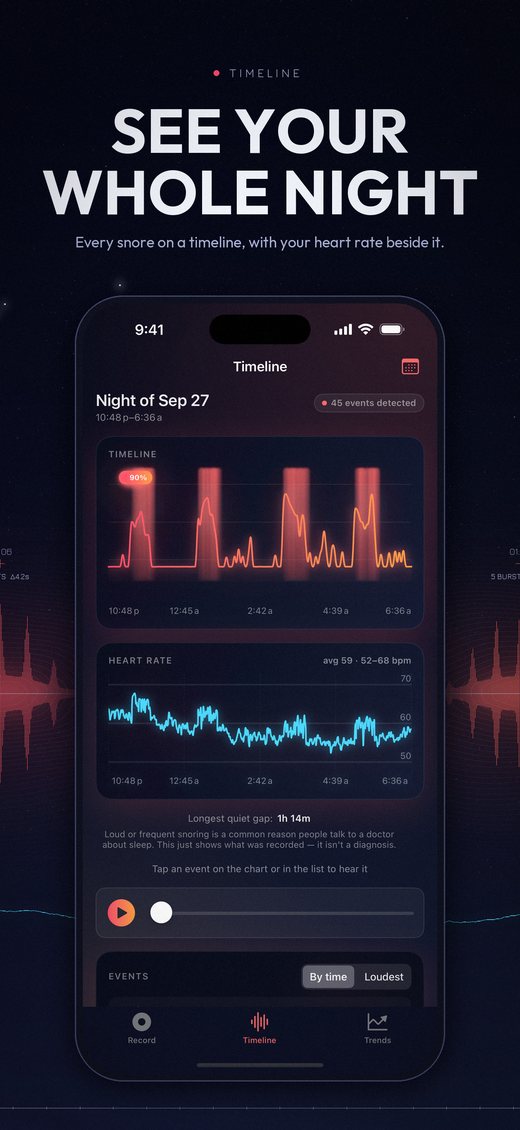
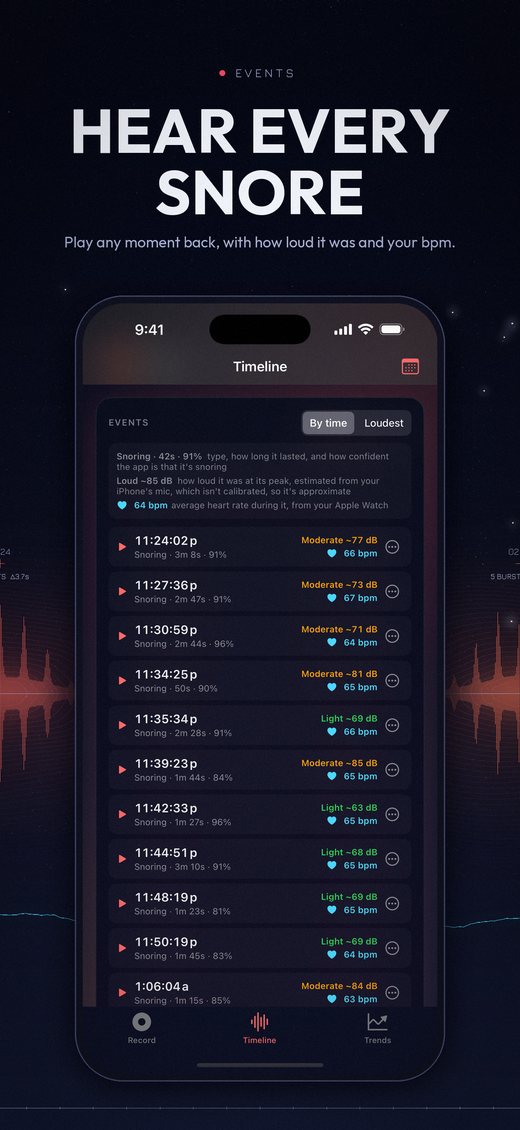
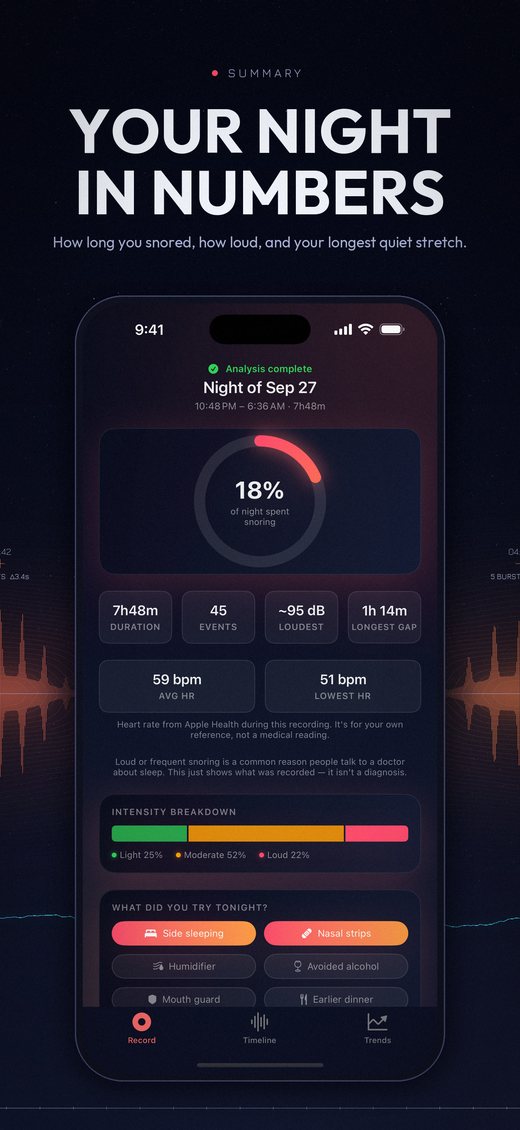
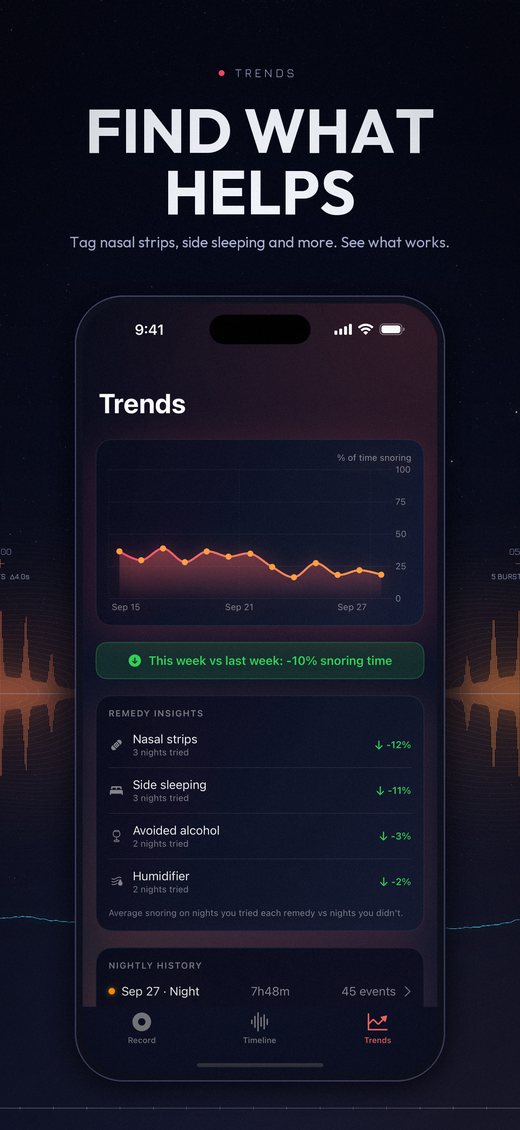
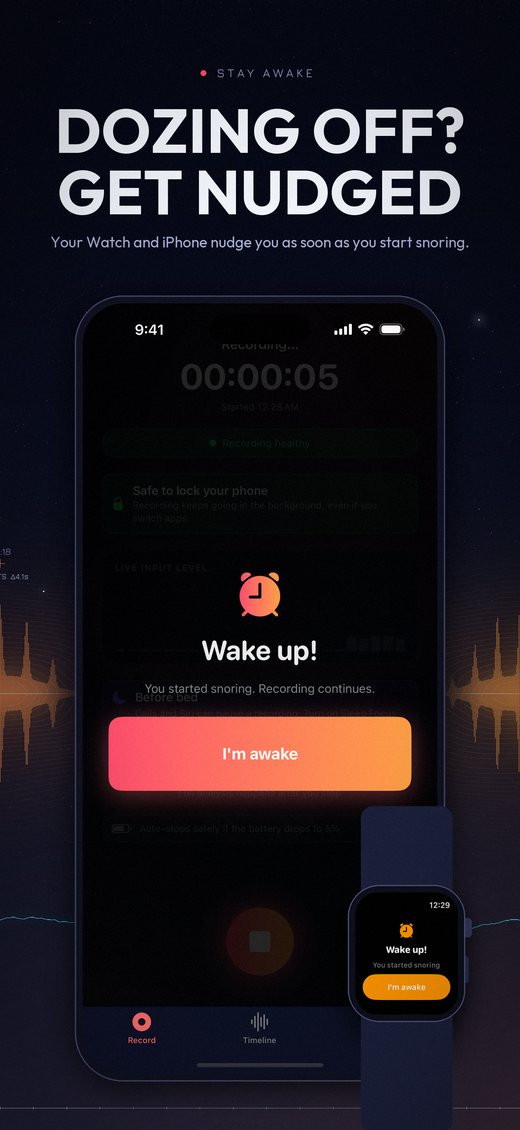
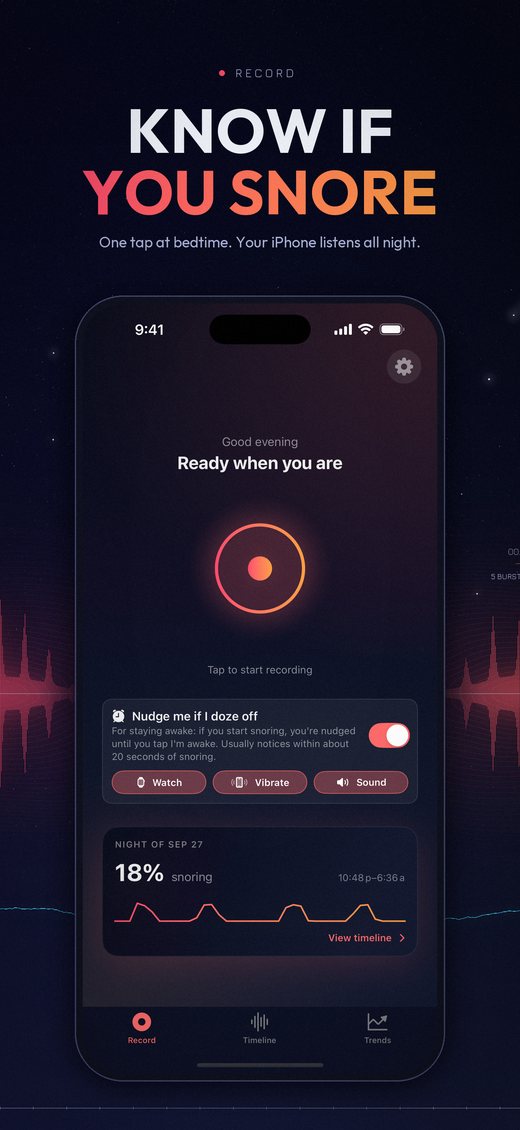
Record screen: one tap at bedtime, with the Stay Awake option and last night's snoring at 18% Timeline: the night's loudness waveform with snoring highlighted, and Apple Watch heart rate below Events list: each snore's time, length, estimated decibels and heart rate Night summary: 18% of the night snoring, loudest event, heart rate and intensity breakdown Trends: snoring night over night and remedy insights Stay Awake: a Wake up! nudge on iPhone and Apple Watch

Sample nights shown. Swipe for more.

Features

Your night, played back

Not a score out of a hundred. The actual night, second by second, so you can hear it for yourself.

⏰

Stay Awake nudgesNew

Trying not to doze off on the couch or at your desk? Turn on "Nudge me if I doze off" and Snore Signals listens for the steady rhythm of snoring. It usually notices within about 20 seconds, then taps your wrist, vibrates your iPhone and plays a rising chime until you tap I'm awake. Pick which nudges you want. With Apple Watch, the Watch's own microphone listens, so it works even with your phone in a pocket or bag.

🎙️

On-device snore detection

Apple's built-in sound classifier listens through your recording on your iPhone and marks every stretch of snoring, with how confident it is about each one.

〰️

A timeline you can hear

Your night's real loudness as a waveform. Tap any snore to play it from just before it started, sort the list by loudest, and relabel anything that wasn't snoring.

🔊

How loud, in decibels

Each event gets an estimated peak level in dB and a Light, Moderate or Loud rating, plus a breakdown of how the night split between them.

❤️

Heart rate, with Apple Watch

While you record, the Watch app measures your heart rate every few seconds instead of every few minutes. It's drawn under the snoring, with the heart rate during each event, and your average and lowest in the summary.

📊

Your night in numbers

Every recording gets a summary: how much of it you spent snoring, how many events, the loudest one, and your longest quiet stretch.

🧪

Find what actually helps

Tag what you tried each night, like side sleeping, nasal strips or skipping alcohol, and Trends shows how much you snored on nights you did versus nights you didn't, plus this week against last.

🌙

Nights and naps

Record a nap as easily as a night. Each recording is labeled Morning, Afternoon or Night, and Trends weighs them by length. An optional bedtime reminder helps you remember to start.

🛡️

Built for the whole night

A system alert won't end your recording. A call or Siri pauses it without losing anything, and a low battery saves your night before the phone dies.

🗂️

Your space, your call

Audio is kept for 30 days (or 7 or 90, your choice), then deleted to save space while the results stay. Delete any night, or everything, whenever you like. Pro exports your nights to a spreadsheet.
How it works

Three steps, one night

Start recording at bedtime

Tap Record, or Start on your Apple Watch with the app open. Once the microphone checks out, you'll see "Safe to lock your phone". Plug it in and put it down.

Sleep

Snore Signals records in the background all night. Nothing is analyzed or sent anywhere while you sleep.

Wake up to your night

Stop the recording and your phone analyzes it in about a minute. Your summary is saved automatically, with every snore ready to play back.

Pricing

Free to record. Pro for the bigger picture.

Every night's recording, analysis and playback is free. Pro adds the tools for comparing nights, and the Apple Watch app. Pay monthly, or pay once and keep it.

Free

Included with the download

  • Overnight recording and on-device snore detection
  • Nightly summary: snoring time, events, loudest snore, longest quiet stretch
  • The full timeline, with playback and relabelling
  • Estimated dB and Light / Moderate / Loud breakdown
  • Heart rate from Apple Health on the timeline
  • Tag the remedies you tried
  • Stay Awake nudges on your iPhone: vibration and a chime if you doze off
  • Naps labeled Morning, Afternoon or Night, and an optional bedtime reminder
  • Delete any night, and choose how long audio is kept

The subscription renews monthly through the App Store until you cancel. The one-time purchase is pay once, yours forever, with no recurring charge. No account needed either way.

Privacy

Your nights stay on your phone

Snore Signals has no account and no server. Recordings, detected snores and your notes are stored only on your iPhone, and audio is deleted after 30 days unless you choose otherwise. Snore detection runs on the phone too, using Apple's on-device sound analysis, so your audio is never uploaded.

Heart-rate and sleep data from Apple Health is only read, on your iPhone. It's never uploaded, shared, or used for advertising.

There are no ads and no tracking. The one third-party service runs the Pro purchase screen and sees only how that screen is used, never your recordings or health data. Delete All My Data in Settings erases everything the app has stored.

Read the full privacy policy →

Not a medical device

Snore Signals shows what was recorded: when there was snoring, how loud it was, and what your heart rate was doing. It doesn't diagnose, treat, or rule out any condition, including sleep apnea, and its decibel figures are estimates from an uncalibrated phone microphone.

Loud or frequent snoring is a common reason people talk to a doctor about their sleep. If you're concerned about your sleep or breathing, please see a doctor. Snore Signals can't tell you whether you should.

Stay Awake is a convenience, not a safety device. Never rely on it to keep you awake while driving or doing anything dangerous.